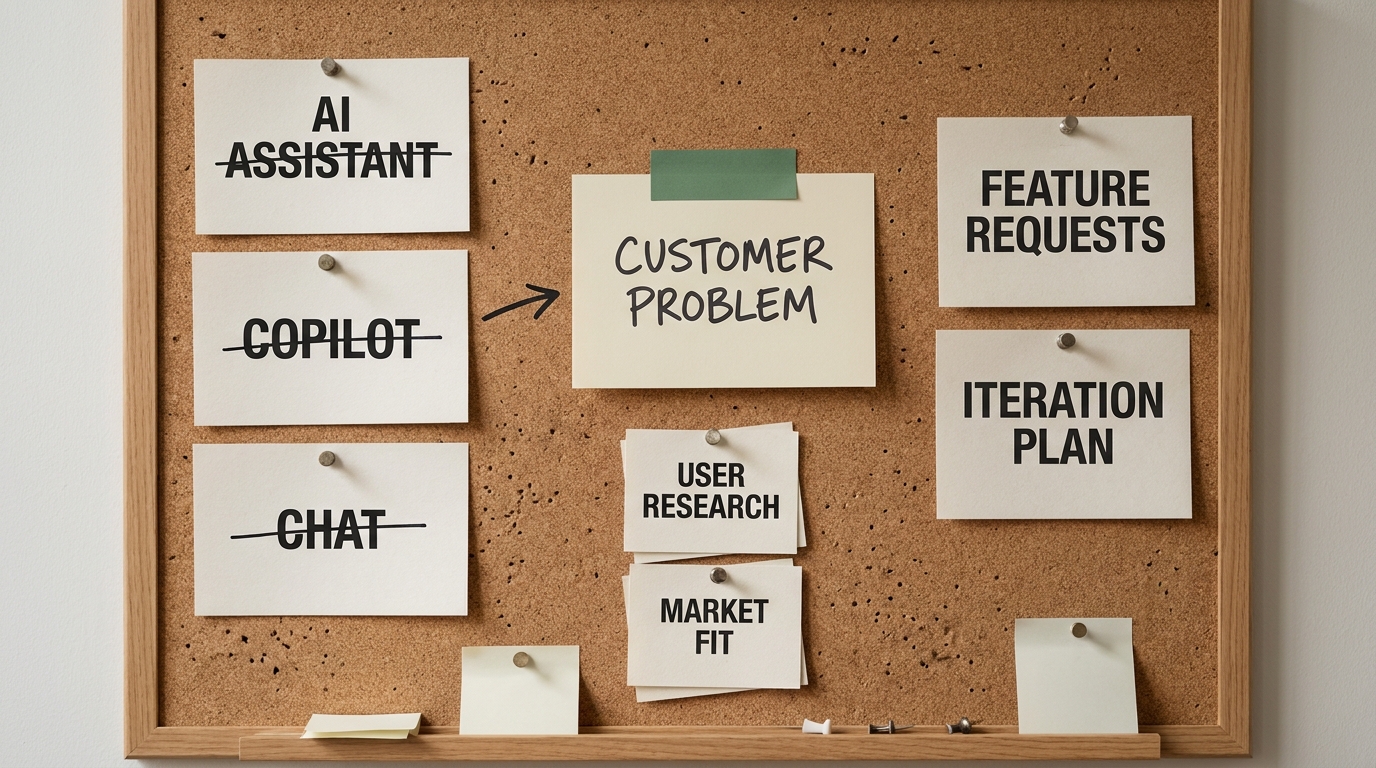

Somewhere between a third and half of automation projects fail, and the tool is almost never the reason. The doom rarely arrives at launch. It sets in during the quiet week before, when a team agrees to automate a process nobody has actually measured. If you are the CFO, COO, or CIO signing off on an AI or automation initiative , the most valuable thing you can insist on is unglamorous: a measured picture of how the work performs today, before a single bot or model touches it. You cannot improve, prioritize, or prove what you never measured.
That measured picture has a name. A workflow baseline is the set of numbers that describe a process as it runs right now, and it is the line between an automation program you can defend to the board and one you merely hope worked. This article lays out the seven baseline metrics an executive should capture before automating anything, why each one matters to the people who own budget and risk, and how to gather them in about a week without tying up the team for a quarter.
Most AI Projects Fail Before They Start
A failed automation project rarely ends in a dramatic technical collapse. It ends in a slow anticlimax. Budget was approved, a vendor was picked, a pilot shipped, and six months later nobody in the room can say whether it paid off. The dashboards show the bot ran. They do not show that the business is better. The question "did this help?" hangs there unanswered, because there was never a "before" to compare against.
The numbers back up the pattern. Ernst & Young (2022) has estimated that 30 to 50 percent of initial RPA deployments fail, and analysts consistently name poor process understanding, not the technology itself, as the leading cause. The arc is familiar. An early wave of enthusiasm, then a stall once organizations discover that scaling automation is harder than the demo suggested. The plateau is well documented: Deloitte (2022) reported the average intelligent-automation payback period stretched to 22 months, and most programs stall well before they scale.
Look closely at those stalled programs and one shared root cause keeps surfacing. The team automated a process it had never mapped or measured. It took a workflow full of exceptions, handoffs, and rework, and made the dysfunction run faster. Automating a broken process does not fix it. It industrializes it. The failure is almost never the technology. It is the missing baseline that would have told you whether the workflow was worth automating and whether the automation actually changed anything. So the first question is not which tool to buy. It is what a baseline even is.
What a Workflow Baseline Actually Is
A workflow baseline is a snapshot of how a specific process performs today, captured before any automation is introduced. It is not a forecast, a vendor projection, or a target. It is current, measured reality: how long the work takes, how often it goes wrong, how many hands it passes through, and what it costs to run once. Robotic process automation, or RPA, is one common way to automate such workflows, but the baseline stays deliberately technology-neutral. You are measuring the work, not the tool that might eventually do it.
The distinction that matters most for an executive is workflow-level versus bot-level. Most published metrics guides are written for automation developers and track bot-level indicators: how many bots are running, their utilization, their uptime. Those numbers tell you the machinery is busy. They say nothing about whether the business improved. A workflow baseline sits one level up, at the process a CFO, COO, or CIO actually cares about, an invoice getting approved, a claim getting settled, an order moving from received to fulfilled. It measures the outcome the organization feels, not the activity of the software.
Everything that follows lives inside that baseline. Seven metrics, captured before automation, give you a defensible picture of the work as it stands.
The Seven Metrics to Capture Before You Automate
These seven metrics are the spine of a workflow baseline. Together they answer three executive questions at once: how good is this process today, is it worth automating, and how will we prove the automation worked. Capture all seven for any workflow you are weighing, and use a real, named process rather than an abstract one.

| Metric | What it measures | Why it matters to a CFO, COO, or CIO | How to capture it fast |
|---|---|---|---|
| Cycle time | End-to-end elapsed time to complete one unit of work | Slow cycles tie up cash, delay revenue, and frustrate customers | Timestamp a sample of cases from start to finish |
| Error rate | Share of units completed with a defect or mistake | Errors create rework, refunds, and compliance exposure | Count defects found per hundred completed cases |
| Handoffs | Number of people or systems a unit of work passes through | Each handoff adds delay, cost, and a point of failure | Map the process and count the transfers |
| Rework | Share of work that has to be redone | Rework is invisible cost that inflates headcount needs | Track how often a case returns upstream |
| Cost per workflow | Fully loaded cost to run the process once | The denominator for any ROI claim you will make later | Divide loaded team cost by cases handled |
| Exception rate | Share of cases that fall outside the standard path | Exceptions are where automation quietly breaks down | Count cases needing manual judgment or escalation |
| Owner clarity | Whether one accountable owner exists for the process | No owner means no one to defend or fix the numbers | Ask who signs off on the process end to end |
Cycle time
Cycle time is the total elapsed time from the moment a unit of work enters the process to the moment it is done. For an invoice-approval workflow, that is the clock running from invoice received to payment approved. It is the metric customers and cash flow feel most directly. Measure it end to end, waiting between steps included, not just the minutes someone is actively working. The waiting is usually where the time goes.
Error rate
Error rate is the share of completed work that carries a defect: a wrong figure, a missing approval, a mismatched record. In a claims-intake process, it might be the percentage of claims entered with incorrect data. Errors matter to an executive because they never stay contained. Each one triggers rework, a refund, a customer complaint, or a compliance flag. Automate a process with a high error rate and you simply produce wrong answers faster.
Handoffs
Handoffs count how many people or systems a single unit of work passes through from start to finish. An invoice that travels from a shared inbox to a clerk to a manager to a finance system has four handoffs. Handoffs are where delay and error compound, because every transfer is a chance for work to sit in a queue or fall through a gap. Executives feel handoffs as sluggishness and finger-pointing. Count them and you often discover the real problem is coordination, not effort.
Rework
Rework is the share of cases that have to be redone because something was wrong the first time. It is one of the most expensive metrics precisely because it usually stays invisible. It does not appear as a line item. It hides inside headcount, overtime, and missed deadlines. If a fifth of processed orders bounce back for correction, you are effectively paying for that work twice. Capturing rework before automation tells you how much of the current cost is avoidable waste.
Cost per workflow
Cost per workflow is the fully loaded cost to run the process once: the people, the systems, and the overhead, divided by the volume handled. This is the single most important number for the executive who has to defend the spend, because it is the denominator of every ROI claim you will make after automation. Without a measured cost-per-workflow before, any "we saved money" statement after is unprovable. Keep it simple. Take the loaded team cost for the process and divide by cases completed in the same period.
Exception rate
Exception rate is the share of cases that fall outside the standard, or "happy path," and need manual judgment, escalation, or a workaround. It deserves special attention because exceptions are exactly where automation tends to fail. A bot handles the clean 80 percent well and chokes on the messy 20 percent, which then quietly routes back to people. Skip this one before you automate and you will badly overestimate the savings and underestimate the human effort still required.
Owner clarity
Owner clarity is not a percentage. It is a yes-or-no question with outsized consequences: is there a single accountable owner for this process end to end? When the answer is no, the other six metrics have no defender. Nobody is responsible for the baseline, nobody can authorize a change, and nobody can be held to the ROI promise. Executives consistently underrate this one, yet a clearly owned workflow is almost always the one where automation sticks . If no name comes back when you ask who owns the process, that is your first finding.
Turning the Baseline into ROI You Can Defend
Capturing seven numbers is only useful if they earn their keep in a budget conversation, and this is where they do. The reason the baseline matters to a finance leader is blunt: it is the denominator. An "after" number means nothing without a measured "before" to divide it against. If you cannot state the cost per workflow, the cycle time, and the error rate before automation, then every improvement claim afterward is a story, not a result. A board does not fund stories twice.
With a baseline in hand, the ROI logic becomes simple and defensible. Take the measured before, subtract the measured after, and the difference is your provable gain:
- Cycle time before minus cycle time after equals the speed you can actually claim.
- Cost per workflow before minus cost per workflow after equals the money you actually saved.
- Error and rework rates before minus after equals the quality and risk you actually removed.
The trap to avoid is substituting activity for outcome. Bot uptime, number of automations deployed, and hours "touched" by automation are vanity metrics. They prove the software is running. They do not prove the business is better off . Tie every claim back to a baseline number a CFO would recognize, cost, time, error, or rework, and the ROI conversation stops being a debate about faith.
The 3-part test for choosing a candidate
A baseline tells you whether a workflow improved. This test tells you which workflow to baseline first. Hold each candidate against three questions, and a good first project answers yes to all three.
- Recurring. It happens daily or weekly, not once a quarter. Frequency is what turns a small per-run saving into a number your CFO notices. A process you run twice a year is rarely worth automating first, however painful each instance feels.
- Expensive. Each run costs real labor hours or carries a real error cost. A task that takes ninety minutes and happens two hundred times a month is thirty-plus days of work hiding in plain sight.
- Measurable. You already have a baseline number or can get one this week. Without one you can never prove the automation worked, and an unprovable pilot dies at the next budget review.
There is a fourth judgment layered on top: automate versus augment. High-volume, rules-based steps can run end to end with a light human audit. High-stakes or judgment-heavy steps — anything where a wrong answer carries legal, financial, or safety risk — should keep a human checkpoint with AI doing the heavy lifting underneath. The goal is not to remove people from the loop everywhere. It is to remove them from the parts that are repetitive so their attention lands on the parts that are not.
Ten workflows worth inspecting first
Most organizations find their first candidate in the same ten places. Each one is recurring, costs measurable labor, and has a clear definition of done.
- Lead qualification. Reps burn hours researching, scoring, and chasing leads that were never going to buy, while genuinely hot ones cool off waiting for a first touch. The cost is doubled: wasted rep time and lost deals from slow follow-up.
- Reporting and recurring dashboards. Someone assembles the same report every week, pulling numbers from three systems, reconciling by hand, and rewriting last week's narrative. Slow, late, and one copy-paste error can misdirect a leadership meeting.
- Quality assurance checks. Most QA is sampled. A person spot-checks a slice and everything outside it ships unexamined, so a defect can reach hundreds of items before it surfaces.
- Document review. Reading contracts, forms, applications, and records for the handful of fields that matter is slow, expensive, and mind-numbing enough that attention slips. It is also everywhere: legal, finance, HR, operations, procurement.
- Support triage. Someone reads each ticket, categorizes it, judges urgency, and routes it. Misrouting adds hours or days before the customer reaches anyone who can help.
- Employee onboarding. Touches IT, HR, facilities, payroll, and the hiring manager, each with a separate checklist. Repetitive, cross-departmental, and a dropped step means a new hire on day three without a laptop.
- Invoice matching and accounts payable. Two- and three-way matching is high-volume, rules-based, and unforgiving of small errors. Miss a mismatch and you overpay; catch it late and you chase a refund.
- Proposal and quote drafting. Pulling pricing, pasting boilerplate, fetching account details, formatting — all before a human tailors the pitch. Slow, and the quality drifts depending on who built it and how rushed they were.
- Compliance checks. Manual review is periodic, so issues arising between audits go unnoticed until the next one, or until an external auditor finds them first.
- CRM hygiene. Duplicates, blank fields, stale contacts, and mislabeled accounts degrade every downstream decision. Forecasts wobble, campaigns misfire, and reps stop trusting the system, which makes the data worse in a slow spiral.
Notice what these have in common with the metrics above: every one of them can be counted before anything changes. That is not a coincidence. A workflow you cannot baseline is a workflow you should not automate first.
Using the Baseline to Decide What to Automate First
A baseline does more than prove value after the fact. It tells you where to start. Most organizations automate the loudest request, the process whose owner complained hardest in the last leadership meeting. The baseline replaces volume of complaint with weight of evidence.

A workable triage scores each candidate workflow on three of the metrics you just captured, then filters by the fourth:
- Volume: how many times a month the process runs. High volume multiplies any per-case gain.
- Cost per workflow: how expensive each run is. High cost means each automated run saves more.
- Error or rework rate: how broken the process is today. High friction means more waste to remove.
- Owner clarity: the filter. If no one owns it, do not automate it yet, no matter how attractive the first three look.
Consider two candidates. Invoice approval runs 4,000 times a month, costs a moderate amount per run, has a low error rate, and a clear owner. Claims intake runs 1,200 times a month, costs more per run, carries a high rework rate, and also has a clear owner. Volume favors invoices, but the value of automation concentrates where the friction is, and claims intake is where the measured waste and cost per run are highest. The baseline turns "which one is loudest" into "which one, on the numbers, returns the most," and hands you a ranked shortlist you can defend rather than a pet project you have to justify.
Five Baseline Mistakes That Sink AI Projects
Even teams that agree to measure first tend to make the same handful of mistakes. Each one quietly undermines the baseline and, with it, the whole program.
- Measuring the tool instead of the workflow. Tracking bot utilization or model calls tells you the technology is busy, not that the business improved. Measure the process outcome the executive cares about.
- Averaging away exceptions. A tidy average hides the messy tail, and the exception rate is often the whole story. The 20 percent of cases that fall off the happy path are usually where automation succeeds or fails.
- Running with no single owner. A baseline nobody owns is a baseline nobody will defend, update, or be held to. Assign a name before you assign a budget.
- Capturing the baseline after automation has started. Once the process has changed, the "before" is gone for good, and the ROI claim becomes unprovable. The baseline has to precede the automation, not chase it.
- Collecting vanity metrics with no cost, time, or error tie. If a number does not connect to money, speed, or quality, it will not survive a board conversation. Measure what you will be asked to defend.
How to Capture Your Baseline in One Week
The objection to all of this is time. Executives assume that measuring seven metrics across a workflow means a multi-month study that pulls the team off their real work. It does not. A focused, time-boxed discovery can produce a defensible baseline in about a week, because you are sampling a real process, not auditing every case in the archive.
A structured week of discovery delivers three things: the seven baseline metrics for your priority workflows, a ranked shortlist of which processes are actually worth automating, and a simple ROI model built on measured numbers rather than vendor projections. That is enough to walk into a budget conversation with evidence instead of enthusiasm, and to hold any future automation to a standard it can be measured against.
This is exactly what a Discovery Sprint is built to do: a one-week engagement that captures the baseline, identifies the highest-return workflow, and hands you the numbers before you commit to building anything. If you are earlier than that and not yet sure which processes even belong in scope, a free AI Readiness Snapshot is a lighter first step to find the candidates worth measuring. Either way, the principle holds: measure the workflow before you automate it, and let the baseline, not the loudest request, decide what happens next.
Key Takeaways
- You cannot improve, prioritize, or prove what you never measured. A workflow baseline is the prerequisite most automation programs skip.
- Seven metrics define the baseline: cycle time, error rate, handoffs, rework, cost per workflow, exception rate, and owner clarity.
- The baseline is both your ROI denominator and your automation-triage tool. Without a measured "before," every "after" claim is unprovable.
- Automate the measured, high-friction, clearly-owned workflow first, not the loudest request.
- Capture the baseline before automation begins. A one-week Discovery Sprint is enough to produce a defensible set of numbers.