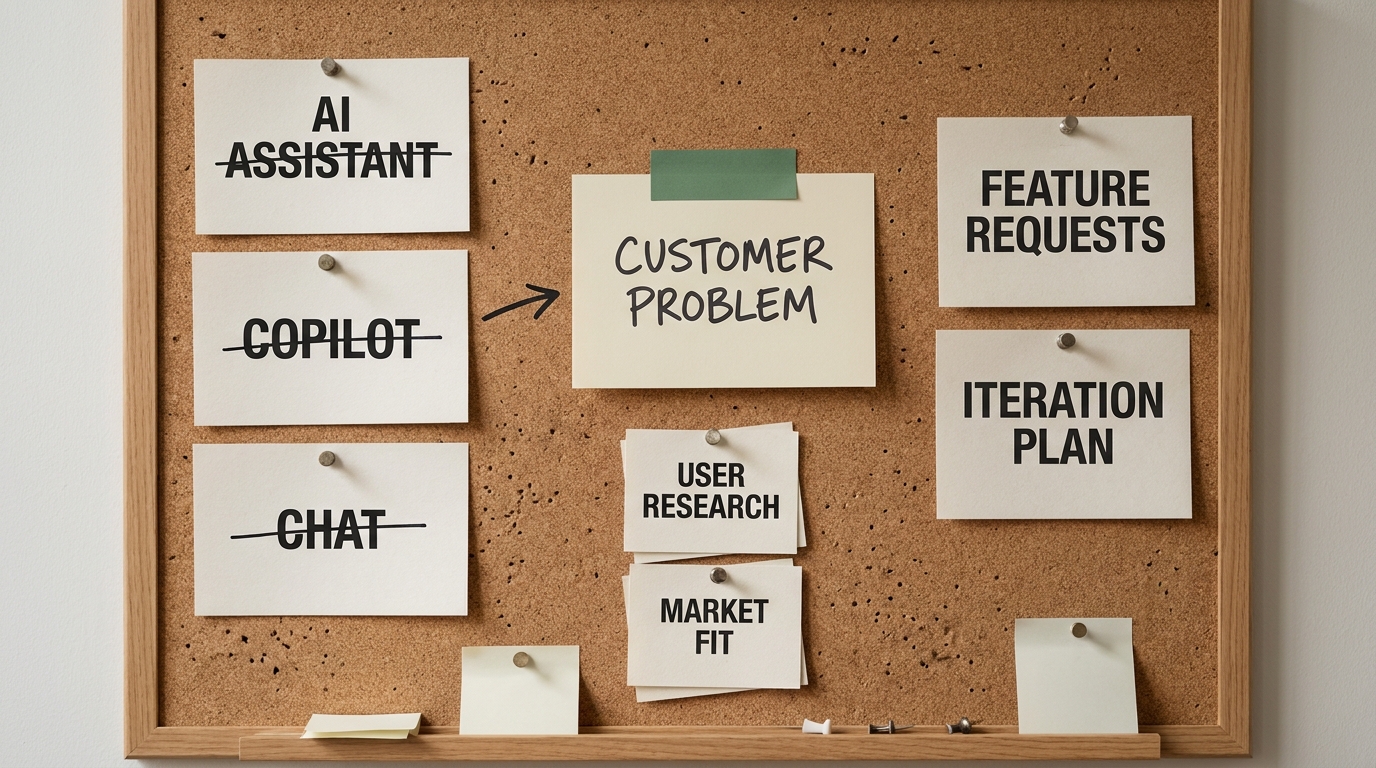
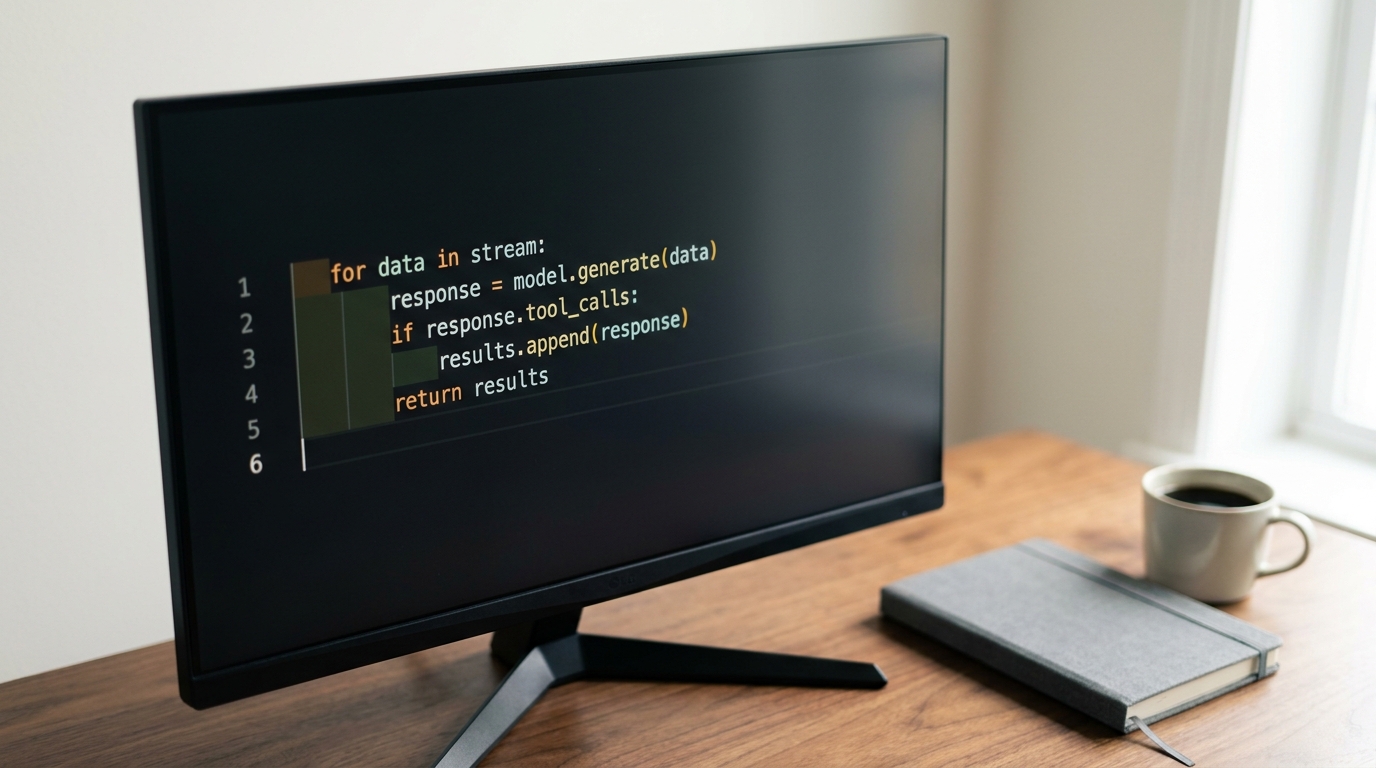
The agent loop is about fifteen lines of code. Everything that decides whether it can be trusted with real users sits outside those fifteen lines, which is why the quickstart took an afternoon and the version real people can use takes two months.
LangChain frames the split neatly in its 2026 write-up on agent design: an agent is a model plus a harness, and the harness is the scaffolding that connects the model to the real world. Every framework ships a different version of that scaffolding. None of them makes the decisions that determine whether your agent survives contact with real traffic.
There are six of those decisions, and they're identical whether you built on LangChain, smolagents, Google's Gemini Enterprise Agent Platform (Google Cloud, 2026), the Azure AI Agent Service, or a bare API loop you wrote yourself. What job does the agent own. What do its tools actually do. How do you know it worked. Where does a human sign off. What can you see when it misbehaves. Who owns it after launch.
Six questions, and not one of them is answered by picking a framework. Here they are in order, with the loop itself included so nothing rests on hand-waving.
Three levels of "custom", and how to tell which one you need
"Custom" covers a spectrum nobody ranking for this topic bothers to define, and the three points on it differ by an order of magnitude in cost. Picking the wrong one is the most expensive mistake available before a single line of code exists.
Configured. You use a hosted agent builder - Google's Gemini Enterprise Agent Platform (Google Cloud, 2026), the Azure AI Agent Service, a workspace agent inside ChatGPT - and customize through its console: instructions, connected data sources, its built-in tool catalog. Delivery is days. Control is low, and the ceiling is whatever the vendor exposes.
Custom harness. You write your own orchestration on top of an SDK. LangChain's create_agent exists precisely for this, and its middleware model is a good example of the shape: the loop is the vendor's, the business logic, guardrails, model routing, and state handling are yours. Delivery is weeks. Control is high, and you inherit the SDK's upgrade path.
Bespoke. You own the loop and the runtime end to end, calling model APIs directly. Delivery is months. Control is total, along with every retry, every trace, and every regression.
The test is short. If your workflow fits the vendor's built-in tools and your data can live in their environment, configure it. If either half of that is false, write a harness. Bespoke is for teams with a constraint the SDKs don't handle, usually a runtime, latency, or data-residency requirement they can name in one sentence.
When you don't need an agent at all
An agent is worth the overhead when the workflow needs judgment. OpenAI's practical guide to building agents names three triggers: rules that have grown unwieldy, decisions that turn on context, and input that arrives unstructured. Refund approval qualifies. Fraud review qualifies.
Reformatting a CSV does not. Neither does answering a question that a single well-prompted model call already gets right, say, ninety-five times out of a hundred. A deterministic script is cheaper to run, cheaper to debug, and impossible to talk out of its instructions.
What to have in place before the first line of code
Six things. Five are obvious. The sixth is the one that decides whether the project stalls in month two.
- A written job definition. One sentence naming the task, what triggers it, and what stops it.
- A written success definition. What a correct run looks like, and what an acceptable failure looks like. These are different, and both matter.
- Model access with a real budget ceiling. Not a vague intention to watch costs, an actual cap.
- The underlying systems reachable from a dev environment, with test data you're allowed to break.
- A named owner for after launch. Pick the person now, while it's still a project and not yet somebody's unwanted inheritance.
- Ten to twenty real historical examples of a human doing this task, with their inputs and their outcomes.
Number six is the one teams skip, and it is the one that makes step 4 possible. Pulling twenty resolved tickets out of a support queue takes an afternoon. Reconstructing them six weeks later, after the agent is live and behaving oddly, takes a week and produces a worse set.
Budget roughly a week for all six before any code gets written. It's the cheapest week in the project.
Step 1: Give the agent exactly one job
Scope is the highest-leverage decision in the whole project, and it gets made before any technology is chosen.
The test is one sentence long: can you describe what the agent does without using the word "and"? An agent that answers product questions and files tickets and updates the CRM will fail at all three in ways that are almost impossible to attribute. When something goes wrong, you won't know whether the instructions collided, the tool set got too large to select from reliably, or the model lost the thread.
Here's the example carried through the rest of this piece. An agent that triages inbound support requests: it reads the request, decides whether it matches a known documented issue, and either replies with the documented fix or escalates to a human with a summary. One job, one trigger, two clean exits.
Notice what that scope buys. Every run has an obvious correct answer that a human can check in fifteen seconds. There's a natural place for an approval gate. And the failure mode of over-escalation is annoying rather than dangerous, which is exactly the risk profile a first build should have.
Step 2: Design the tools before you write the prompt
Tools are the API your model programs against. Design them the way you'd design a public API for a competent developer who can't ask you questions.
Most guides show a two-line decorator and move on. Teams then spend a month debugging behavior that was decided by tool design before the prompt was ever written, which makes this the highest-return section of the build.
Six rules, each with the reason attached:
- One tool, one verb.
search_tickets, notmanage_tickets. A tool that branches internally on a mode argument forces the model to reason about your implementation instead of the task. - Treat the description as a prompt. Write it for a competent new hire, and say when not to use the tool. "Use this only after
search_ticketsreturns no match" prevents a whole class of misfires. - Narrow the argument types. Enums beat free-text strings anywhere the domain is closed. A
priorityfield that acceptslow | normal | urgentcannot receive "pretty important I think". - Return errors as data. A tool that raises kills the run. A tool that returns
{"error": "ticket not found", "suggestion": "try search_tickets"}gives the model something to act on. - Make writes idempotent, or require approval. Retries happen. A duplicate refund does not have to.
- Return the smallest useful payload. Dumping a forty-kilobyte JSON blob into context inflates every subsequent turn and degrades the next decision. Return the six fields that matter.
Rule six is where the money leaks. Context accumulates across the loop, so an oversized tool result isn't paid for once, it's paid for on every remaining turn of that run.
Step 3: Build the smallest loop that finishes a task
Strip away the frameworks and the loop is short:
messages = [system_prompt, user_input]
for step in range(MAX_STEPS):
    response = model.call(messages, tools=tool_schemas)
    if not response.tool_calls:
        return response.text            # agent is done
    messages.append(response)
    for call in response.tool_calls:
        result = execute(call)          # returns data, never raises
        messages.append(tool_result(call.id, result))
raise StepLimitExceeded
That's it. Send the conversation and the tool schemas, get back either an answer or a set of tool calls, run the tools, append the results, repeat until the model stops calling tools or you hit the ceiling.
What frameworks add on top is real and worth having: retries, streaming, state persistence, tracing, and hooks into each phase of the loop. LangChain exposes those as composable middleware. smolagents takes a different angle, having the model write executable code as its action rather than emitting structured tool calls. Hosted engines from Google and Microsoft take the loop away entirely and hand you a console. All three are legitimate choices. Knowing what they wrap is what lets you debug them when they misbehave.
One rule is not optional. Always set a maximum step count and a maximum spend per run, both enforced in code. An unbounded loop is the single most common way a first agent turns into an incident, and it's a five-line fix.
Step 4: Build the evaluation set before you add features
This is the step that separates a demo from a system you can change safely, and it is missing from almost every guide on the topic.
Take the ten to twenty historical examples from your prerequisites and turn them into fixed test cases. Input, expected outcome, acceptable variations. That set is your evaluation harness .
Score three things per case:
- Did it reach the right outcome? Correct fix sent, or correct escalation.
- Did it use the right tools? A right answer via the wrong path is a bug waiting for a different input.
- What did it cost? Tokens and steps, per case. Cost regressions are as real as quality ones.
Run the whole set on every prompt change, every tool change, and every model change. Record the results with a date and the model version, because "it got worse sometime in July" is not a debuggable statement.
The trap this catches: an agent that improves on the case you were staring at and regresses on four others you weren't. Without a fixed set, that regression stays invisible until a user finds it. OpenAI's guidance on model selection assumes this too, since the whole practice of starting with the most capable model and swapping in smaller ones only works if you have a baseline to compare against.
Outcome checking is often itself a model call, and that's fine. Give the checker an explicit rubric with pass criteria rather than asking whether the output is good. "Does the reply contain the documented fix for the identified issue, yes or no" is checkable. "Is this a helpful response" is not.
Step 5: Put guardrails where failure is expensive
Guardrails work in layers, cheapest first, so most bad inputs never reach an expensive check.
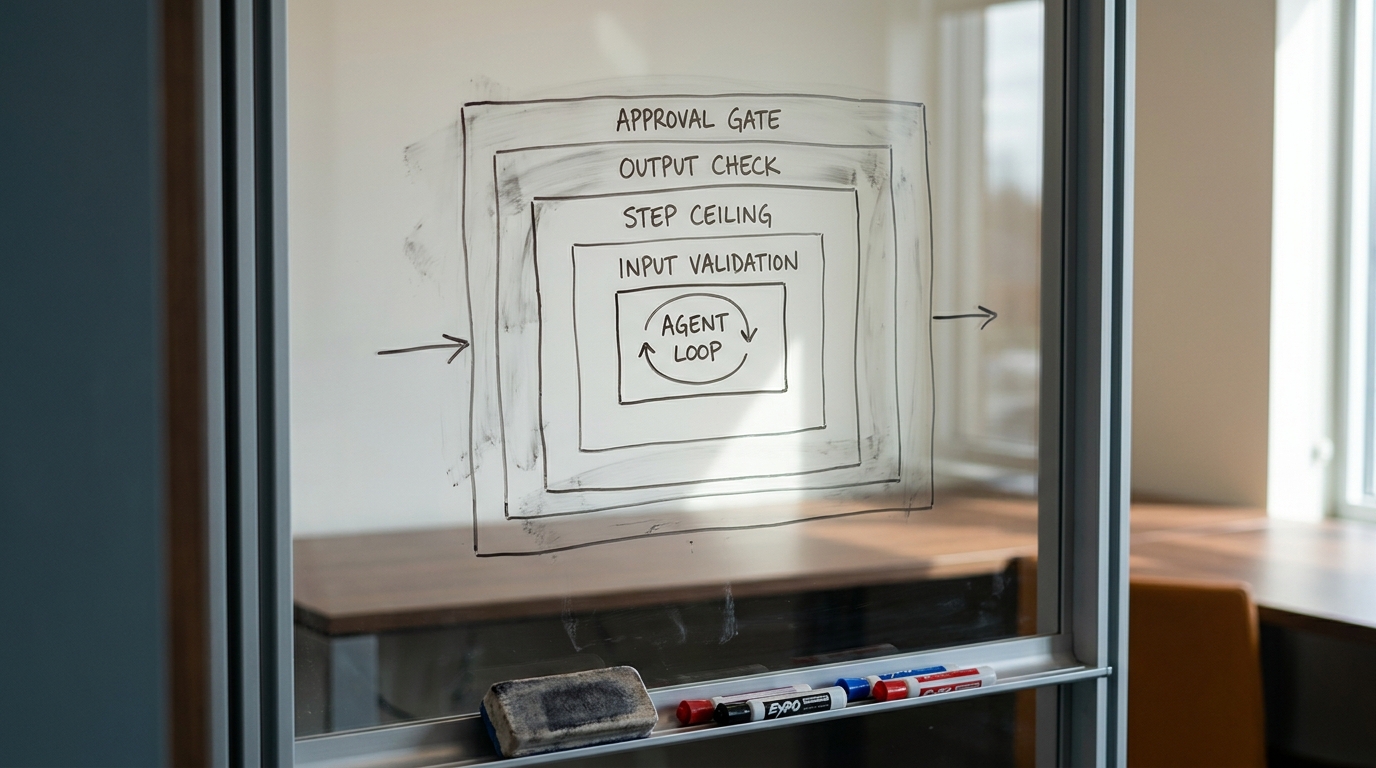
- Input validation. Shape, size, and required fields. Free.
- A fast classifier for out-of-scope or unsafe requests. One small model call, and it catches the majority of what shouldn't be in the loop at all.
- Output checks against the expected shape and claim type before anything leaves the system.
- Step and spend ceilings, enforced in code rather than requested in a prompt.
- Human approval on the actions that warrant it.
The rule for approval gates is short. Any action that is irreversible, externally visible, or expensive gets a human . Sending a customer email, issuing a refund, deleting records, deploying. In the triage example, the documented-fix reply is externally visible, so a human approves the first few hundred until the evaluation numbers justify loosening it.
Design the approval so the reviewer sees the decision and the reasoning that produced it. An approval queue that shows only an output turns a person into a rubber stamp within a week.
One agent or several
Two patterns dominate. In the manager pattern, one orchestrator holds the conversation and delegates to specialists, calling them as tools. In the decentralized pattern, peers hand control off to each other, which is how triage-to-department routing usually works.
The honest test for splitting: do it when a single agent's tool list has grown past what it selects from reliably, or when two parts of the job need conflicting instructions. Splitting earlier multiplies your failure surface without buying anything . Most teams reach for multi-agent well before they've earned it, because the architecture diagram looks more serious than a loop with eight tools.
Step 6: Ship it, watch it, and keep watching
Log every run, completely. Full message history, every tool call with its arguments and result, token cost, step count, final outcome, and whether a human intervened. Partial logs are worse than no logs, because they invite confident wrong conclusions about why something broke.
Week one has a specific watch list:
- Escalation rate against what you predicted.
- Tool error rate, broken out per tool.
- Cost per task against your estimate.
- Runs that hit the step ceiling. Every one of these is a bug.
- Cases where the agent was confidently wrong, which is the only category that damages trust permanently.
Set a review cadence and hold the owner to it. Agent quality drifts as the underlying systems change, as the data changes, and as models get deprecated and replaced underneath you. Run the evaluation set on a schedule, not only on deploys.
On scope, here's our observed range rather than an industry figure: a first bounded production agent typically runs four to ten weeks with one or two engineers plus a domain expert who owns the evaluation set. The engineering is rarely the long pole. Getting the historical examples, agreeing what "correct" means, and running the approval gate long enough to trust the numbers is what fills the calendar. If you don't have those people to spare, an embedded Fractional Agentic Team is one way to cover the build without a permanent hire.
Where custom agent builds go wrong
Six symptoms, and the cause hiding behind each one:
- It loops until the step ceiling. The stop condition is unsatisfiable, or a tool keeps returning an error the model retries identically. Check whether the error text suggests a different action.
- It calls the wrong tool. Two tool descriptions overlap, or two names read as synonyms. Rewrite the descriptions with explicit "use this when / not when" boundaries.
- It works in testing and fails live. Your test cases came from clean examples while production input is messy, truncated, and occasionally in the wrong language. Refresh the set from real traffic every month.
- It costs three times the estimate. Almost always oversized tool payloads inflating context on every subsequent turn.
- It got worse after a prompt tweak. No regression run. This is step 4 earning its place.
- It's confidently wrong. No output check for the class of claim being made. Add one that verifies the specific thing that matters, not general quality.
What to take away
- One bounded job, describable in a sentence with no "and".
- Tools designed like a public API, with narrow arguments and errors returned as data.
- A fixed evaluation set built from real historical examples, run on every change.
- Step and spend ceilings enforced in code, not requested in a prompt.
- A human on every action that's irreversible, externally visible, or expensive.
- A named owner and a review cadence, because agents drift.
The loop is the cheap part of custom AI agent development , and it has been for a while. The project is everything wrapped around it. Teams that ship agents people actually trust are the ones that treated the wrapping as the work rather than the paperwork.
Next step
If you now know what a custom agent build involves and want a second opinion on whether yours is worth building, that's a short conversation rather than a long engagement.
AI Readiness Snapshot - a free 30-minute call that maps where agents would have the most immediate impact on your cost and reliability, and where they wouldn't.