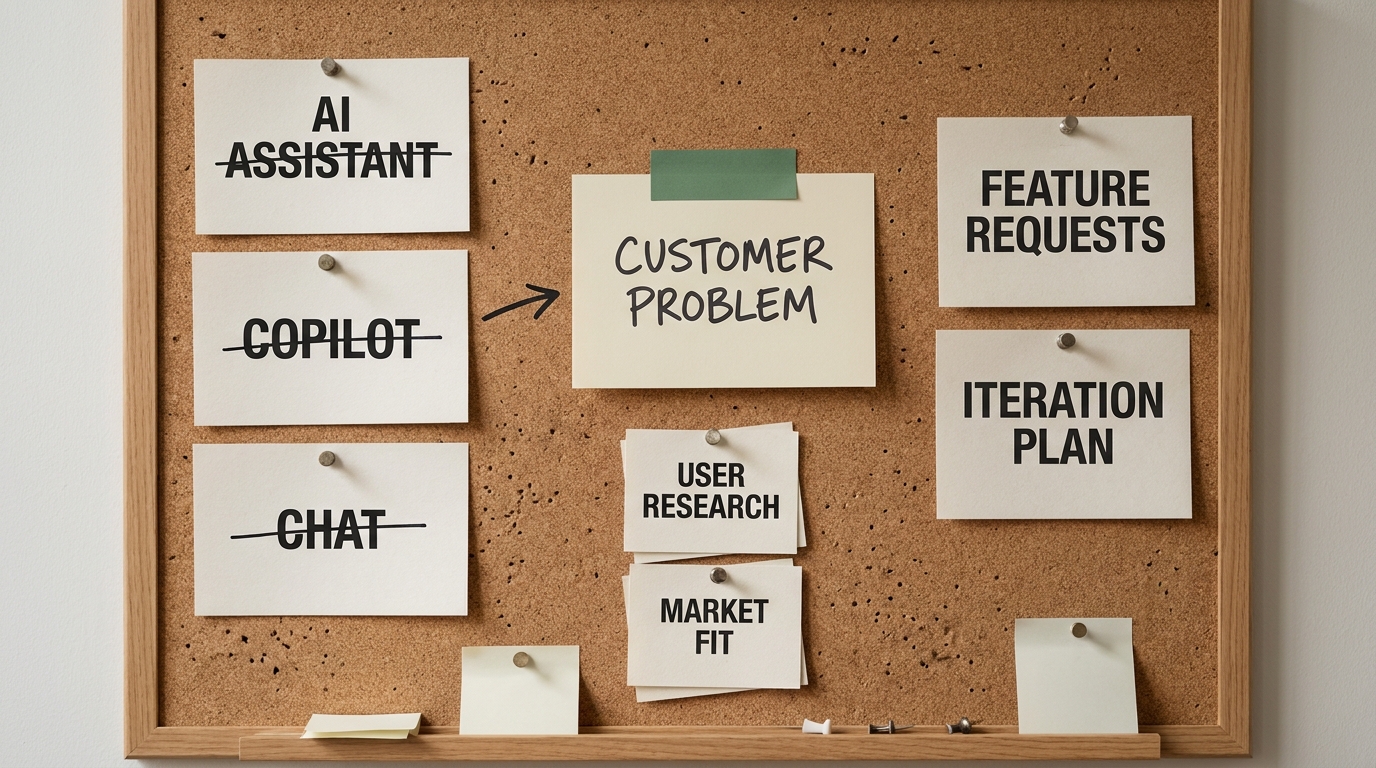

A working agent demo takes an afternoon. A working agent in production takes a quarter. That gap is the whole story of AI agent development in 2026, and it explains why so many promising prototypes never ship. The model is rarely the hard part. The hard part is the loop around the model: the tools it can call, the memory it carries, the guardrails that keep it from going off the rails, and the evaluation that proves it actually does the job.
This guide walks the full picture for technical and product leaders who are scoping agent work. We will cover what AI agent development really means, how an agent is put together, the build process end to end, how to pick a framework without getting locked into vendor hype, when one agent should become many, how to make agents reliable enough to trust, and what the whole effort costs in budget, team, and time. The goal is a vendor-neutral read you can actually decide from, not a pitch for any single SDK.
Quick answer: AI agent development is the practice of building LLM-powered systems that can reason about a goal, call tools, and take multi-step actions with minimal human input. The model supplies the reasoning, but most of the engineering work is the loop, tools, memory, guardrails, and evaluation built around it. Get those right and an agent becomes dependable. Skip them and you have a demo that breaks on the second real task.
What AI Agent Development Means (and What It Doesn't)
The word "agent" gets stretched to cover almost any AI feature, so precision helps. An AI agent is a system that uses a large language model (an LLM, a model trained to predict and generate text) as its reasoning engine, then acts on that reasoning by calling tools, observing the results, and deciding what to do next. The defining trait is the loop. The agent does not produce one answer and stop. It works toward a goal across several steps, adjusting as it goes.
That sets it apart from two things people often confuse it with. A chatbot answers a question and waits for the next one, with no goal beyond the current turn and no action taken in the world. A fixed workflow runs a predetermined sequence of steps , and it is reliable precisely because it never decides anything. An agent sits between and above both. It decides which steps to take, in what order, and when it is done.
I find it more useful to treat autonomy as a spectrum than a yes-or-no switch:
- Prompt-and-response. A single model call returns an answer. No tools, no loop. This describes most "AI features" today.
- Tool-using assistant. The model can call one or more tools (search, a database query, an API) within a turn, but a human still drives the conversation.
- Single autonomous agent. The model runs its own loop toward a goal, choosing tools and steps until it finishes or hits a stop condition.
- Multi-agent system. Several agents, often specialized, coordinate to handle a larger task that one agent would struggle with.
Where you land on that spectrum should follow the problem, not the trend. Plenty of tasks that get pitched as "agentic" are served better, and more cheaply, by a tool-using assistant or even a plain workflow. Part of the skill in AI agent development is knowing when an agent is genuinely the right tool. Tool calling, also called function calling, just means giving the model a defined set of functions it can invoke, with structured inputs and outputs, so it can act instead of only describe .
Three signs separate a real agent from a relabeled feature. It pursues a goal across multiple steps. It chooses its own actions rather than following a script. And it can recover or re-plan when a step fails. A system with none of those gains nothing from the "agent" label except extra risk and cost.
Do you actually need an agent?
The question most vendors skip, because the honest answer sometimes costs them the sale. Not every problem needs an autonomous agent. Agentic design earns its keep when the work is genuinely multi-step and reaches across several systems or data sources. It is the wrong tool for anything a single prompt or a short script already handles.
Likely a fit if the work chains several steps, decisions, or tools together rather than one lookup; your team burns real hours moving data between systems, reading documents, or triaging requests; the process needs judgment that a fixed rules engine keeps getting wrong; or the work has to happen without a person babysitting every step.
Probably not a fit if a single FAQ bot or canned reply would solve the problem; the task is high-stakes, one-off, and cheap to do by hand; or you have no clean access to the data and systems the agent would act on. That last one is not a nice-to-have. An agent with no reliable route to the systems it must touch is a demo with a deployment date attached.
Where agents pay off first
The processes that pay back fastest share a pattern: high volume, repeatable judgment, and a clear definition of done. Gartner has predicted that 40% of enterprise applications will feature task-specific AI agents by the end of 2026, up from under 5% in 2025, and the early winners concentrate on a handful of archetypes rather than automating everything at once.
- Document processing. Read, classify, extract, and route contracts, claims, invoices, and forms that currently eat analyst hours.
- Sales qualification. Enrich leads, score intent, draft tailored outreach, and hand people only the conversations worth having.
- Support deflection. Resolve repetitive tier-one tickets end to end, then escalate the genuinely hard ones with full context attached.
- Engineering acceleration. Triage bugs, draft tests, review pull requests, shorten the path from ticket to merge.
- Operations and exception handling. Watch a workflow, catch the cases that fall out of the happy path, and either fix them or flag them with a recommendation.
Look at what an archetype actually changes rather than the label. A document-processing agent in a claims operation does not just read documents: it ingests a mixed stack of PDFs and scans, identifies the document type, pulls the fields that matter, cross-checks them against policy rules, routes clean cases straight through, and flags ambiguous ones with the specific reason for review. The team stops keying data and starts handling only exceptions. A support agent earns its keep the same way, resolving the password resets and order-status checks that make up the bulk of tier-one volume, then escalating the hard ticket with history, account state, and a suggested next action already attached.
Regulated and high-volume environments turn out to be a natural fit rather than a hard case, precisely because they demand the audit trails, approvals, and controls that good agent engineering produces anyway. The common thread is volume plus structure: enough repetitive multi-step work that automating it frees real capacity, with clear points where a human should still decide.
Agent sprawl: the failure mode nobody plans for
The reliability practices above address what one agent does wrong. Sprawl is what goes wrong across many. Agents multiply into a population of half-owned automations nobody can account for: built by different teams, holding different permissions, with no shared inventory of what exists or what it can touch.
Two habits prevent it. Keep a register of every agent in production with its owner, its tool permissions, the data it reads, and the workflow it affects — you cannot govern what you cannot list. And scope tool permissions per agent rather than issuing a broad service account, so the blast radius of any single mistake stays small.
The field has also converged on open standards for connecting agents to tools and to each other, including the Model Context Protocol and agent-to-agent patterns. Building to those rather than reinventing them means an agent you can replace, audit, and hand over.
How an AI Agent Works: The Core Architecture
Underneath every agent is the same basic cycle. The agent perceives the current state (the task, recent results, available context), reasons about what to do, acts by calling a tool, observes the outcome, and repeats until the goal is met or a limit is hit. This perceive, reason, act, observe loop is the conceptual spine of the whole field. Everything else exists to run that loop reliably.
A handful of components make it work. None is exotic on its own. The way they fit together is what separates a robust agent from a fragile one.
| Component | What it does | Example |
|---|---|---|
| Model | The reasoning engine that interprets the goal and decides each next step | A frontier LLM such as Claude, GPT, or Gemini |
| Instructions / policy | The system prompt and rules that define the agent's job, boundaries, and style | "You are a research assistant. Always cite sources. Never email anyone." |
| Tools | The functions the agent can call to act on the world | Web search, SQL query, send-email, code execution |
| Memory | Short-term context for the current task plus long-term recall across sessions | A scratchpad of recent steps, plus a vector store of past results |
| Orchestration | The control layer that runs the loop, manages state, and enforces stop conditions | A framework loop that caps steps, retries tools, and routes between agents |
The model gets most of the attention. The other four rows are where AI agent development actually lives. Instructions are where you encode the operating procedure and the limits. Tools are where the agent gains real capability, and one poorly designed tool, with vague inputs or silent failures, will sink an otherwise good agent. Memory is what lets an agent handle long tasks without losing the thread, and it is also where cost and latency quietly pile up. Orchestration is the often-invisible layer that decides what happens when a tool errors, when the agent loops, or when it should hand off to a person.
Two architectural choices made early decide a surprising share of what happens later. The first is how much context to keep in the loop. More context improves reasoning but raises cost and can blur the agent's focus, so good agents manage context deliberately instead of stuffing everything in. The second is how tools report results. Structured, predictable outputs let the model reason about what happened, while raw or inconsistent outputs force it to guess. Get those two right and you head off a large share of production failures before they start.
How to Develop an AI Agent, Step by Step
The build process is more disciplined than the demos suggest. Teams that ship reliable agents tend to follow a recognizable sequence, and skipping a step usually shows up later as an outage or a runaway bill. Here is the path from idea to production.

- Define the job precisely. Write down the goal, the inputs, the expected outputs, and clear examples of success and failure. "Handle support tickets" is too vague. "Draft a first-response to billing tickets, attach the relevant policy, and route anything mentioning refunds to a human" is buildable.
- Design the operating procedure. Before any code, describe how a competent person would do the task step by step. The agent's instructions are essentially that procedure written for a model, including what to do when it is unsure.
- Equip the tools. Give the agent the smallest set of well-described tools it needs. Each tool should have a clear name, typed inputs, and predictable outputs. Fewer, sharper tools beat a large grab-bag the model has to disambiguate.
- Add memory and context management. Decide what the agent needs to remember within a task and across tasks. Keep the working context lean, summarize when it grows, and store durable knowledge somewhere retrievable rather than in the prompt.
- Choose a framework. Pick the orchestration layer that fits your control and team needs (covered in the next section). This is deliberately step five, not step one. The job and the tools should drive the framework choice, not the reverse.
- Evaluate against real tasks. Build a test set of real inputs with known good outcomes and measure the agent against it. Evaluation is not optional polish. It is how you know whether a change helped or hurt, and it is the single practice that most separates teams that ship from teams that stall.
- Add guardrails and human-in-the-loop. Constrain what the agent can do (allowed tools, spending caps, action limits) and insert human approval at the steps where a mistake is expensive or irreversible.
- Deploy and monitor. Ship to a narrow slice of real traffic first, watch behavior closely, and expand as confidence grows. Instrument every run so you can see what the agent did and why.
One thing about sequencing worth flagging: most teams cycle through steps two, three, and six many times before they touch deployment. Defining the job, sharpening the tools, and testing against real tasks is the core loop of development itself. The later steps, framework and guardrails and deploy, go faster once that core is solid.
AI Agent Frameworks: Which One Fits Your Build
Frameworks supply the orchestration layer so you do not rebuild the loop, the tool-calling plumbing, and state management from scratch. The market is crowded and moves fast, so the right question is not "which framework is best" but "which fits this build and this team." The honest answer depends on a few things: how much low-level control you need versus speed of assembly, whether your team prefers code or a visual builder, whether you need multi-agent orchestration, and how mature the surrounding ecosystem is.
Settle on those criteria before you compare, because each tool optimizes for a different point on them. With that in mind, here is a neutral best-for and not-for view of the most common options as they stand in 2026. Treat it as a starting filter, not a verdict, and confirm current capabilities against each project's own docs, since these move quickly.
| Framework | Best for | Not ideal for | Code or low-code |
|---|---|---|---|
| LangChain / LangGraph | Complex, stateful, multi-step agents where you want fine-grained control over the graph of steps | Teams wanting the simplest possible path to a single tool-using assistant | Code |
| OpenAI Agents SDK | Teams standardized on OpenAI models who want a supported, batteries-included agent loop | Shops that need to stay model-agnostic across vendors | Code |
| smolagents (Hugging Face) | Lightweight, code-first agents and experimentation with minimal abstraction | Large orchestrations needing heavy built-in state management | Code |
| n8n | Connecting agents to many SaaS tools and automations with a visual workflow builder | Deep, custom agent reasoning that outgrows node-based flows | Low-code |
| Microsoft Copilot Studio | Business teams building agents inside the Microsoft 365 ecosystem with governance built in | Highly custom agents needing full control outside the Microsoft stack | Low-code |
The selection logic is simpler than the table makes it look. Need maximum control over complex, stateful behavior? A code-first graph framework fits. Already living in a particular vendor's ecosystem? The native SDK or builder will save you weeks. Mostly trying to connect an agent to lots of existing tools without heavy engineering? A low-code builder wins. And if you genuinely cannot decide, start with the smallest framework that covers your case. You can graduate later, and over-choosing early is a common and expensive mistake.
One caution worth stating plainly: a framework is not a strategy . The hard parts of AI agent development, defining the job, designing good tools, and evaluating real performance, are framework-independent. A great framework wrapped around sloppy tool design still produces a fragile agent.
Single-Agent vs. Multi-Agent Systems
There is a strong pull toward multi-agent architectures right now, partly because they are genuinely interesting and partly because they look sophisticated in a deck . For most builds, a single well-designed agent is the right starting point. Reaching for multiple agents too early just adds coordination overhead, cost, and fresh failure modes with no payoff.
A single agent is usually enough when the task has one clear goal, a manageable set of tools, and a workflow that one capable reasoner can hold in context. Most production agents in the wild are exactly that: single agents with a tight tool set and good guardrails.
Graduate to multiple agents when you see specific signals:
- The tool set has grown so large that one agent struggles to choose correctly among the options, and splitting by domain would sharpen each agent's decisions.
- The task has genuinely separable sub-jobs that need different skills or instructions, for example one agent that researches and another that writes, each with its own focused prompt and tools.
- You need parallelism because sub-tasks are independent and running them concurrently meaningfully cuts the clock.
- Different steps need different trust levels, so isolating a high-risk action behind its own constrained agent improves safety and auditability.
When you do split, keep the coordination explicit. Decide how agents hand off, what each one owns, and how the overall system knows it is finished. The cost of multi-agent systems is rarely the models. It is the orchestration: more state to manage, more ways a handoff can go wrong, harder debugging when one does. Earn that complexity with a clear reason, not a hunch that more agents must mean more capability.
Making Agents Reliable in Production
This is the section most competitors gloss over, and it is where the demo-to-production gap actually closes. An agent that works in a controlled test but cannot be trusted on real traffic has not been developed. It has been prototyped. Reliability is an engineering discipline, and it rests on a few practices.

Evaluation and auditing. Keep a growing test set of real tasks with known good outcomes, and run it on every meaningful change. Beyond automated scoring, audit a sample of real runs by hand to catch the failures your metrics miss. Evaluation is the backbone of reliability because it turns "it seems better" into evidence.
Guardrails. Constrain the agent's blast radius. Limit which tools it can call , cap spending and the number of steps per run, validate tool inputs and outputs, and refuse anything outside an explicit allow-list. Good guardrails assume the model will sometimes be wrong and make those moments cheap.
Human-in-the-loop. Put a person at the steps where a mistake is expensive or irreversible: sending money, emailing customers, deleting data. Approval gates at the right points let you ship sooner with less risk, then loosen as the agent earns trust.
Observability. Instrument every run so you can see the full trace: what the agent decided, which tools it called, what they returned, where the time and tokens went. When something breaks at 2 a.m., a clear trace is the difference between a five-minute fix and a five-hour hunt.
It also helps to know the common failure modes so you can design against them:
- Tool errors the agent mishandles, where a failed call returns a confusing message and the agent reasons off bad data instead of retrying or stopping.
- Loops, where the agent repeats the same step without progress until a step cap saves it, or, with no cap, until the bill does the job instead.
- Hallucinated actions, where the model invents a tool call or a parameter that does not exist.
- Runaway cost, where an unbounded loop or an over-stuffed context quietly turns a cheap task into an expensive one.
What good looks like in production is concrete. Bounded runs with hard step and spend caps. Structured tool outputs the model can reason about. Human approval on irreversible actions. A live trace for every run. An evaluation set that grows every time you find a new failure. None of it is glamorous, and all of it is what makes an agent dependable.
Once an agent clears that bar, the question shifts from "can we trust it" to "where else can it help." If your team is scoping that decision and wants an outside read on readiness and architecture, an AI Transformation Discovery sprint is built to pressure-test exactly these reliability and design choices before you commit budget.
What AI Agent Development Costs (Budget, Team, Timeline)
Cost is the part of AI agent development that gets buried in vague ranges or skipped entirely, which leaves leaders unable to plan. Here is the honest framing: cost is driven by scope and integration complexity far more than by the model itself. A few factors move the number most.
- Scope and autonomy level. A tool-using assistant is dramatically cheaper to build and run than a fully autonomous, multi-step agent with guardrails and human-in-the-loop review.
- Integrations. Each external system the agent must read from or act on adds engineering, testing, and ongoing maintenance. Integration work is frequently the largest line item, not the AI.
- Reliability requirements. The higher the stakes, the more evaluation, guardrails, and observability you need, and that work is real engineering time.
- Compliance and data sensitivity. Regulated data or strict audit needs raise the bar on architecture, review, and documentation.
On the team side, a typical agent build draws on a small mix of skills rather than a whole department: an engineer comfortable with the chosen framework and tool design, someone who owns evaluation and prompt or operating-procedure design, and a domain expert who defines what good outcomes look like. You do not need a research-grade machine learning team to build most agents. Applied engineering and clear evaluation matter more than model-training expertise. Smaller efforts often fold these roles into one or two people.
Timelines are best given as ranges, not false precision. A focused tool-using assistant can reach a useful internal pilot in a few weeks. A production-grade autonomous agent with real integrations, guardrails, and evaluation is more often a multi-month effort, with most of the time going to integration and reliability rather than the core loop. Treat any quote that promises a complex, trustworthy agent in days with healthy skepticism.
This is also where the build-or-buy decision lands. Off-the-shelf agent products can be the right call for common, well-trodden tasks. Custom development earns its cost when the task is core to your business, touches your proprietary systems, or needs a level of control and reliability that generic products do not offer. Many teams take a hybrid path: buy for the commodity work, build for the differentiated work.
The most common gap, in my experience, is capacity rather than ambition. The AI talent market is tight, and the skills above are in demand. If the plan is sound but the team is stretched, an embedded agentic team can supply the framework, evaluation, and reliability expertise on a fractional basis, so the build moves without a full hiring cycle. And if you are earlier than that and simply want to know where to start, an AI Readiness Snapshot is a low-commitment way to map the opportunities against your current data and systems.
Key Takeaways
- The loop, not the model, is the work. AI agent development is mostly engineering the tools, memory, guardrails, and evaluation around an LLM, not picking the LLM.
- Follow a disciplined build sequence. Define the job, design the operating procedure, equip sharp tools, manage memory, then choose a framework, evaluate, add guardrails, and deploy.
- Choose frameworks by fit, not hype. Match control needs, code-versus-low-code preference, and ecosystem to the build, and start with the smallest option that covers your case.
- Stay single-agent until signals say otherwise. Graduate to multi-agent only when the tool set, separable sub-jobs, parallelism, or trust isolation genuinely demand it.
- Reliability is the gap that matters. Evaluation, guardrails, human-in-the-loop, and observability are what turn a demo into a production system you can trust.
Successful AI agent development is an engineering discipline built around the model, not a model-selection exercise. The teams that win treat the loop, the tools, the evaluation, and the guardrails as the real product, and they earn complexity, more autonomy or more agents, only when the problem demands it. Decide honestly whether your task needs a custom agent or is served by something simpler, scope the reliability work up front, and the demo-to-production gap stops being where projects go to die. When you are ready to turn that plan into a build, start with a focused Discovery Sprint to align on architecture, reliability, and scope before the first line of agent code.
- Qualify before you build. An agent is the right shape only for multi-step work across several systems; a single prompt or a script beats it everywhere else, and no clean data access means no agent.
- The fast-payback archetypes are narrow: document processing, sales qualification, support deflection, engineering acceleration, exception handling. Volume plus repeatable judgment plus a clear definition of done.
- Sprawl is the failure mode that appears after success. Keep a register of every production agent with its owner and tool permissions, and scope permissions per agent rather than sharing one broad account.